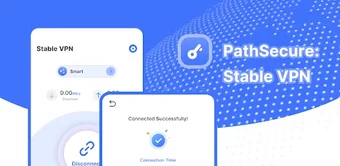
One-tap Android VPN for quick privacy and access control
PathSecure: Stable VPN from MengLe provides encrypted tunneling to protect Android browsing and hide IP addresses on untrusted networks. The app offers immediate protection through a simplified connection model and lets users choose servers or rely on automatic selection, while advertising a strict no-log policy and global proxy coverage. Targeted at mobile users who use public Wi-Fi or want to reach region-locked content, it aims to deliver straightforward, stable connections without account setup.
What core network problems does PathSecure address?
The app focuses on access and privacy hurdles on mobile networks by masking device IPs and helping users bypass geographic restrictions and firewalls. It advertises unlimited bandwidth to avoid per-session caps, so prolonged browsing is not artificially limited. Primary user-facing actions include:
IP concealment
Geographic unblocking
Uncapped data throughput
Those behaviors target common limitations when connecting through public or restricted networks.
Does it maintain stable connections without harming device use?
MengLe positions the app as optimized for connection stability to reduce session drops during browsing. Reported user feedback highlights reliable speeds sufficient for video playback, which indicates throughput is generally adequate for streaming. As an Android utility, the app negotiates routes and keeps sessions alive in the background so users do not repeatedly reconnect during normal browsing or media consumption periods.
How does PathSecure handle privacy and external tracking?
The developer states a strict no-log policy and the app removes the need for account registration, which reduces stored identity links to sessions. Feature notes also mention encrypted data transmission to limit third-party observation. The distribution model is typically supported by advertisements, so users who are sensitive to external telemetry should inspect the app's advertising components and Android permission settings before extended use.
Is technical expertise required to operate the app correctly?
The app provides a one-tap connection flow and a simplified interface to enable protection without configuration. For targeted routing, the tool exposes a manual server list and a Smart Connect option that selects an exit location automatically; this dual approach lets casual users secure connections quickly while allowing more deliberate server choice for users who need a specific country endpoint.
Practical choice for quick mobile privacy with known trade-offs
For Android users seeking low-friction privacy and occasional region access, this app is a practical option that minimizes setup by avoiding accounts and offering fast connections. The trade-off comes from ad-supported distribution and reliance on the developer's stated policies rather than external audits. Practical tip: enable restrictive app permissions for advertising components and use the tool primarily when joining untrusted Wi-Fi networks.
Pros
No account required, reducing direct identity linkage
One-tap connection simplifies activation for non-technical users
Claims strict no-log policy to limit stored session data
Cons
Ad-supported distribution may introduce third-party telemetry
Reliance on developer-stated policies rather than independent audits
Manual server selection needed for precise country routing
Laws concerning the use of this software vary from country to country. We do not encourage or condone the use of this program if it is in violation of these laws. Softonic may receive a referral fee if you click or buy any of the products featured here.